Pre-launch · chapter 1/5 · the body

kyber deck --whoami

Your SI needs a body you own

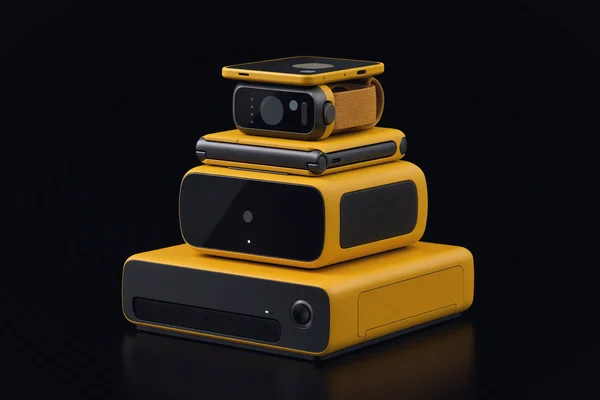
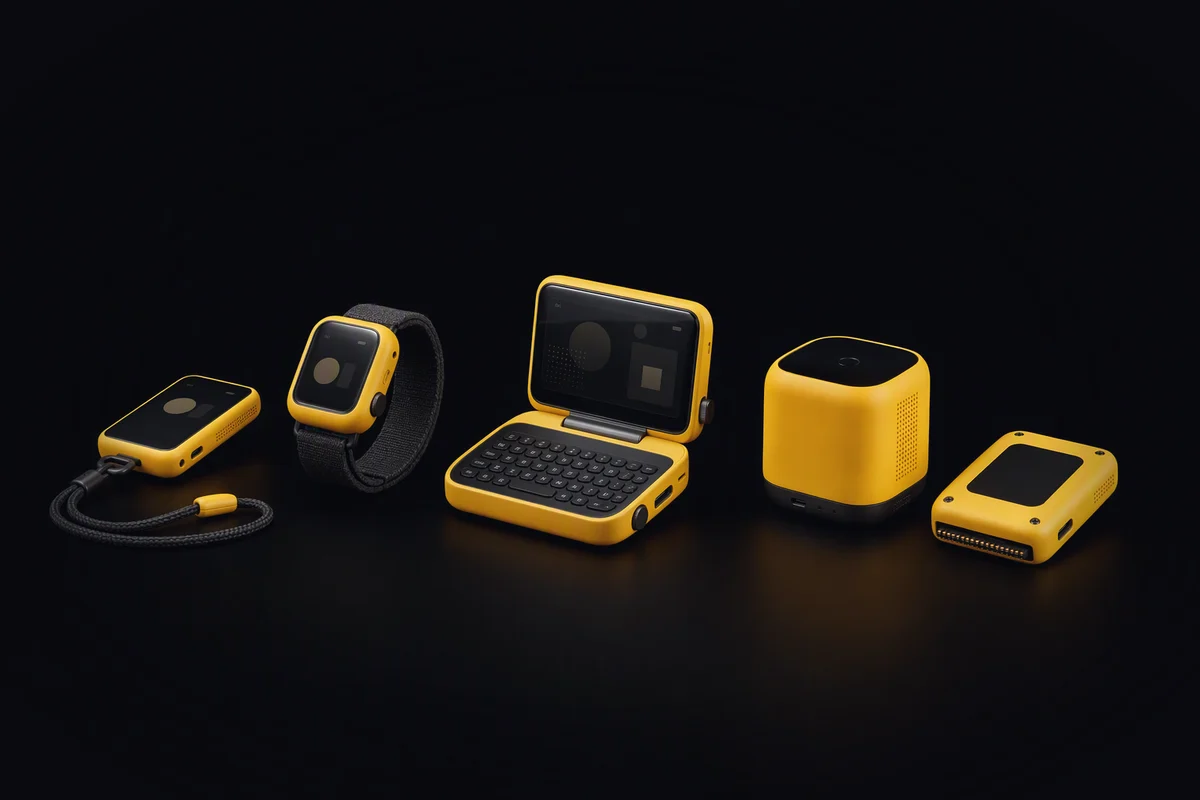
KyberDeck is the hardware around you that your personal assistant lives in: a card on a lanyard, a unit on your wrist, a pocket deck, a node at home, a robot. Buy one ready-made or build your own. Every one runs KyberBot on KyberLinux, and none of them works for anyone but you.

  • Five forms, one system
  • Buy it, or build it yourself
  • Small models run on the device
  • Open hardware, open OS underneath
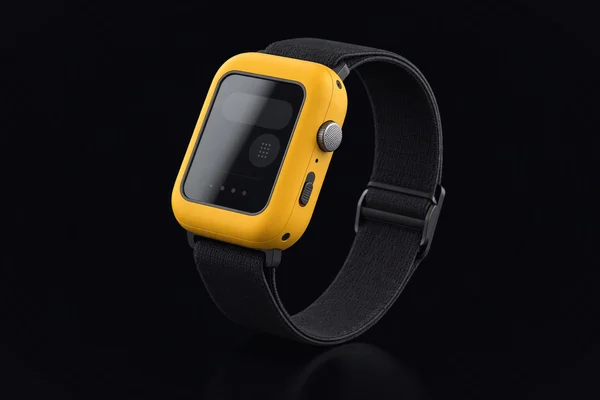
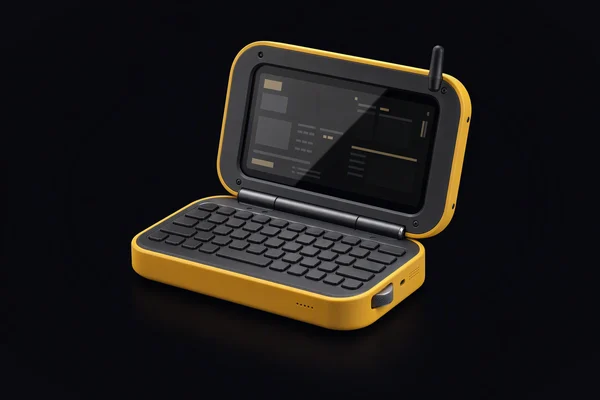
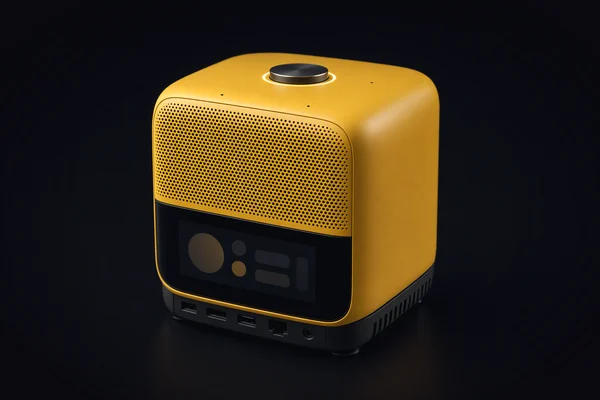
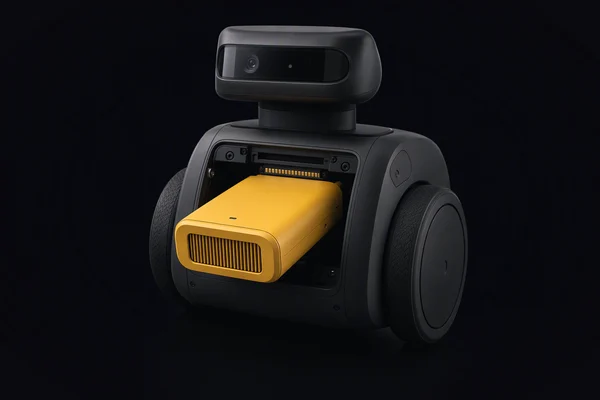
The KyberDeck family in one yellow shell: a card on a lanyard, a wrist unit, an open pocket deck, a home node and a robot compute module
The problem

The device in your pocket was built to sell you things

Three reasons a phone is the wrong body for an assistant you are supposed to trust.

err 01

A phone is a shop

Its business model is attention and distribution. Every design decision serves that, and an assistant working quietly on your behalf is not what the platform is optimising for.

err 02

Your assistant lives elsewhere

Ask it anything and the question leaves the building. On a device you carry everywhere, that is a running record of your day held by somebody else.

err 03

You cannot change it

Locked bootloaders, a vendor operating system, and a permission model designed for apps rather than for something acting on your behalf.

Buy

One system, five bodies

Each form exists because the hands are doing something different. Same KyberLinux, same KyberBot, same identity: the body changes, the system does not.

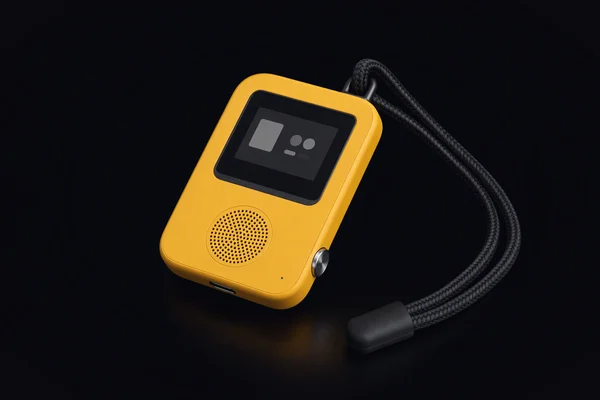
KyberDeck Card, a yellow card-sized computer with a small e-paper display, on a woven lanyardin design

KyberDeck Card

Identity, presence and a glance. A card-sized computer on a lanyard that hears you, shows one line, and knows who you are to the building.

  • e-paper display
  • microphones with a hardware mute
  • one physical button
  • USB-C, wireless sync
Join the waitlist ↗
KyberDeck Band, a yellow wrist unit with a small display and a knurled crown on a fabric strapin design

KyberDeck Band

For work where the hands are busy. Voice and a glance on the wrist, with a slider that makes it deaf.

  • small always-on display
  • knurled crown for scrolling
  • microphone mute slider
  • haptics instead of sound
Join the waitlist ↗
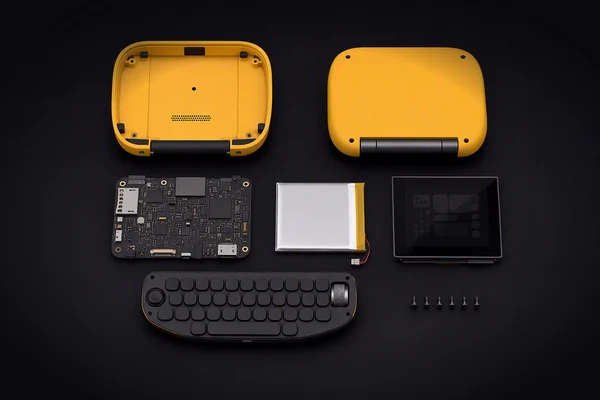
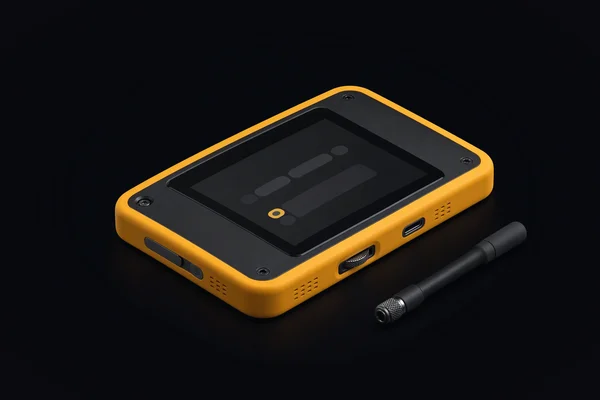
KyberDeck Pocket, a yellow clamshell handheld computer with a thumb keyboard and a wide screenprototype boards

KyberDeck Pocket

The cyberdeck. A screen and a real keyboard for when the task deserves them, and a terminal into your own systems.

  • clamshell with a thumb keyboard
  • wide inset screen
  • small models on the device
  • scroll wheel and antenna
Join the waitlist ↗
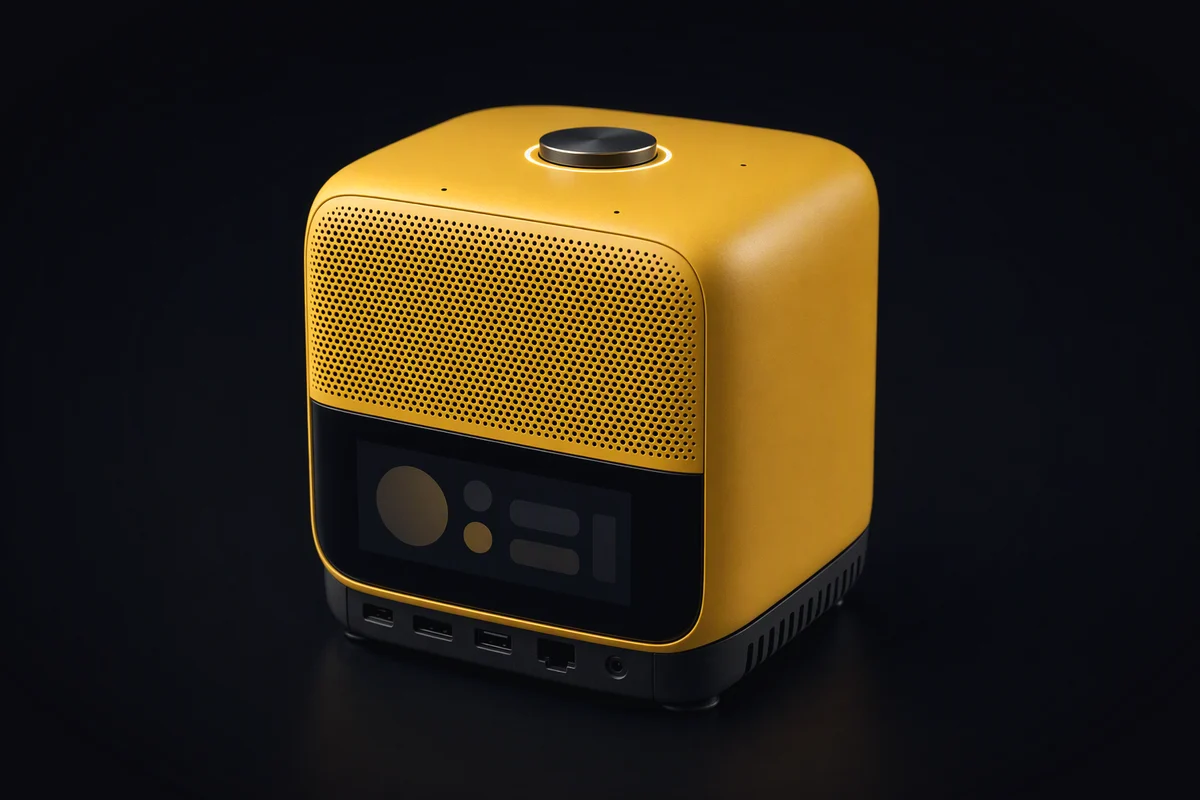
KyberDeck Node, a rounded yellow cube with a speaker grille and a light ring around a button on topin design

KyberDeck Node

The one that stays home. It bridges your devices, keeps the long memory local, and lends spare capacity to KyberFusion only when you say so.

  • always on, low power
  • local memory store
  • speaker grille and light ring
  • optional KyberFusion node
Join the waitlist ↗
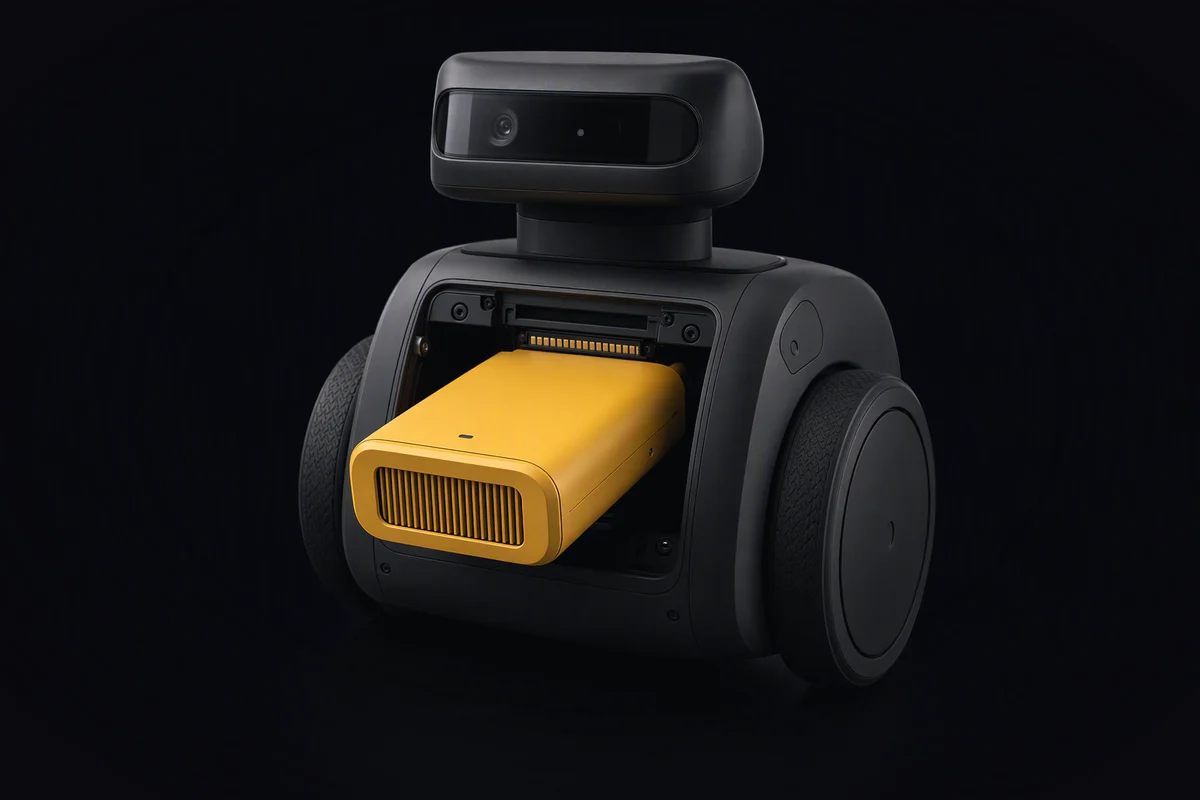
KyberDeck Core, a yellow compute module sliding into the chest bay of a small graphite service robotin design

KyberDeck Core

A compute module for robots. The same assistant with wheels and hands, inside the limits KyberBot enforces in the physical world.

  • slides into a robot's compute bay
  • KyberLinux and KyberBot on board
  • safety envelope enforced on board
  • every motion logged
Join the waitlist ↗
kyber build --yourself

Or build one yourself

Every form will have an open reference design, and the same system runs on boards you already own.

Make your own ↓

Pre-launch: nothing here is for sale, and the specifications are design targets rather than measured results. The waitlist is not open yet, so joining it collects nothing for now.

Build

Or make your own

If you would rather solder than wait, the same system will run on hardware you already have. Two paths, both open.

sdk 01

Microcontroller SDK

For small things: a button, a microphone, a screen and a radio. The board listens and shows; KyberBot runs on a Node or a Pocket nearby.

  • ESP32-class boards
  • microphone, screen, sensors
  • pairs with a Node or a Pocket
kyber sdk init --target esp32-s3
sdk 02

Linux SDK

For anything that runs Linux: install KyberLinux and KyberBot runs on the device itself, small models included.

  • single-board computers and up
  • ARM or x86
  • the full KyberBot on the device
kyber install --profile deck

Not released yet. These commands show the shape the SDKs will take; today they do nothing. When they ship, bricked boards and voided warranties are yours, and so is everything you build.

Boards we plan to support first

  • Raspberry Pi 5
  • ESP32-S3 boards
  • RK3588 boards
  • x86 mini PCs

A plan, not a compatibility claim. Nothing on this list has been tested or certified, and no maker listed here is a partner.

What it does

A deck, documented like a terminal

Each line is a promise about how the hardware behaves, written the way we intend to document it.

commandwhat it does
kyber listenCaptures and transcribes on the device. Nothing leaves it unless a policy you can read says it may.
kyber mute --hardA physical switch cuts the microphones and the camera. Not a setting: a circuit.
kyber offlineKeeps working out of coverage: capture, context, the day's notes. Sync waits until there is something to sync to.
kyber whoamiOne identity, the same one your KyberBot acts under, across every form you own.
kyber ask botHands anything bigger than the device to KyberBot, which decides whether it runs here, on your Node, or in KyberFusion.
kyber repairDocumented parts and published schematics, so a broken part means a repair rather than a replacement.

Illustrative: the commands describe behaviour. They are not a released CLI.

The system

KyberDeck is the first chapter of KyberFusion

The deck is where you touch the system. Every other layer sits one step further from your hand, and each one has its own site.

~/kyber — stack

kyber stack --from you

01KyberDeck · body← you are hereHardware around you, to buy or to build
02KyberBot · trustThe assistant that knows you and runs the rest
03KyberAgent · handsSwarms of agents doing the work, each in its own cell
04KyberLinux · groundAn ultralight, secure, open system for SI
05KyberFusion · networkA sovereign cloud owned by the people who use it
↳KYBERIOS · businessThe Kyber stack as one operating system for a small business — built on all five layers, for one job
↳KYBERTIS · servicesThe company that deploys, hardens and supports Kyber, with an SLA — built on all five layers, for one job

One request, end to end

  1. you speak
  2. KyberDeck hears
  3. KyberBot decides, and asks when it matters
  4. KyberAgent swarms do the work
  5. KyberLinux keeps each agent in its cell
  6. KyberFusion lends power, paid in tokens
  7. the answer comes back to you

Your data stays yours at every step: on the device whenever it can be, encrypted and unlinked from you in the cloud when it has to go there. Tokens settle compute between members; this is not an offer.

At home

A node that stays home and keeps the long memory

Carried devices are small on purpose, so something has to remember. The Node sits on a shelf, holds the long memory your assistant works from, and runs the jobs that are too big for a pocket but too personal for anyone else's server.

  • Memory on your shelf, encrypted, readable by nobody but your KyberBot.
  • A bridge between your card, band, pocket deck and robot.
  • Spare capacity, if you want, lent to KyberFusion for tokens. Off by default.
KyberDeck Node, a rounded yellow home hub
In a robot

The same assistant, with wheels

KyberDeck Core slides into a robot, and the assistant that knows you gets a body that moves. With mass come rules: where the machine may go, how fast, what it may touch. KyberBot enforces them on board and writes every motion down.

  • One identity: your robot answers to the same KyberBot as your card.
  • Limits below the planner: a plan that breaks them never becomes motion.
  • Every motion recorded, so an incident can be reconstructed rather than guessed at.
KyberDeck Core sliding into a small service robot
Limits

What KyberDeck does not do

Pre-launch hardware earns trust by saying plainly where its edges are.

  • It is not for sale yet. No prices, no pre-orders, and no payment taken anywhere on this site.
  • It does not replace your phone today. It replaces the assistant-shaped part of it: capture, context, decisions and identity.
  • It does not send your data to us. There is no KyberDeck account holding your recordings, and no advertising business to feed.
  • It does not run the largest models on the device. Small models do the near-you work; bigger jobs go only where you allow.
  • It is not a super intelligence. SI is what the system is built to carry, not something a card on a lanyard is.
Where we are

No units to ship yet, so here is the honest state of the work

Hardware timelines are the ones most often exaggerated. Ours are on this page instead.

  1. Now

    Prototype boards and the model runtime

    Getting small models running usefully within a carried device's power and thermal budget, which is the constraint everything else has to fit around.

  2. Next

    Pilot units in all five forms

    A small number of devices with people running real work on them, in the form that fits their hands rather than the one that demos best.

  3. Later

    Open hardware, SDKs and OS release

    Schematics, both SDKs and the OS image published together, because a device you carry all day should be one you can inspect.

FAQ

Frequently asked questions

What is KyberDeck in one sentence?

KyberDeck is the hardware your personal SI lives in — a card, a wrist unit, a pocket deck, a home node or a robot module — running KyberBot on KyberLinux, ready-made or built by you.

What does SI mean here?

Super Intelligence, the name we use for the field as a whole. We use the word because of what is coming, and because of who we think it should belong to: the people who use it, not the companies that rent it out.

Can I build one myself instead of buying it?

That is the plan. A microcontroller SDK for small listening devices and a Linux SDK for anything that runs Linux. Neither is released yet; when they are, they will be open.

Is it a phone replacement?

For some people, eventually. Today it replaces the assistant-shaped part of what a phone does: capture, context, decisions and identity. It is designed as a tool you own rather than as a platform that sells to you.

Does it work offline?

Yes, by design. A carried device spends real time out of coverage, so capture, transcription and the day's context work without a link, and synchronisation happens when there is something to synchronise to.

How does it fit with the other Kyber projects?

KyberDeck is the body. KyberBot is the assistant that lives in it, KyberAgent is the swarm of agents it sends to do the work, KyberLinux is the system underneath all of them, and KyberFusion is the sovereign cloud that lends power when a device is not enough — owned by the people who use it. KYBERIOS, a branch of the same stack, puts these devices to work in a small business: a Band in the warehouse, a Card at the door, a Node as the office server.

Chapter 1/5 · Body

Chapter one: the body

Every intelligence so far has lived somewhere you do not: in a data centre, behind an account, inside a business model that needs your attention more than your trust. Super Intelligence will be the most capable tool people have ever had, and the question that matters is not whether it arrives, but whom it belongs to.

Our answer starts with something you can hold. A card, a band, a deck, a box on a shelf, a robot in the hallway: hardware you own outright, that you can open, repair, and switch off with a real switch. If the body is not yours, nothing that runs inside it is.

The body is only the beginning. Inside it lives the one that knows you best, and that is the next chapter.
Read the whole manifesto ↗

Blog

Notes from the hardware

All articles

Hardware that does not report on you

Most connected devices report on their owners by design: telemetry, accounts, cloud processing. This is what hardware looks like when there is nothing to report.

Read article →

Be in the first batch

The waitlist goes live soon. Until then, the blog is where the hardware decisions get argued.

No form yet, no data collected — just come back.